
WORKFLOW Release 2026.1.04
VERSION 2026.1.04
What’s New
ROSI Employee Agent
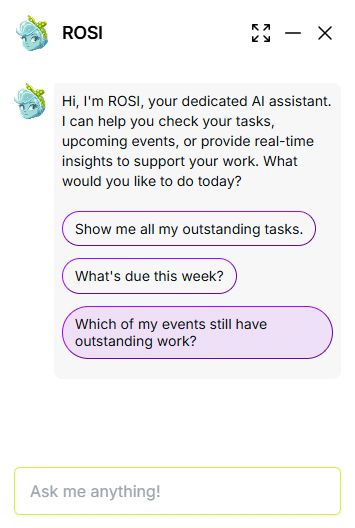
The ROSI Employee Agent helps employees complete Workflow events more efficiently by surfacing assigned tasks, answering task-related questions, and providing contextual guidance using natural language. ROSI respects existing role-based permissions and data access rules. Employees only see information they are authorized to view.
Employees can use ROSI to:
- Check what to do next and what’s still outstanding
- Understand progress and due dates
- Identify required documents and workflow steps
- Get answers based on employee portal documentation (including customer-uploaded documents)
Enablement: ROSI is disabled by default, allowing organizations to control rollout and adoption at their own pace. Admins can manage enablement for Admins and Employees separately by going to Admin > Settings > UI:
- Enable ROSI for Admin Portal
- Enable ROSI for Employee Portal
See the Workflow ROSI User Guide for more details.
Resolved Issues
Forms Experience: Print PDF Button Localization – A minor error in displaying “Print PDF” in supported languages has now been addressed.
API Messaging Improvement for Document Upload – Uploading .docx documents via API now provides a clearer error message when an issue occurs, helping users quickly resolve upload problems.
Coming Soon
Forms Enhancements
- ROSI Form Builder & Modern Forms: Create, upgrade, and manage forms using AI-assisted generation and the modern forms framework—no manual rebuilds required.
- Forms Conversion: Seamlessly upgrade existing legacy (Gen1) forms into the modern forms system—no manual rebuilds required.
- Unified Forms Library: All modern (2nd Gen) forms will appear in a single library for simpler discovery and management.
Next-Generation Task Management
- A redesigned task experience with clearer controls, improved visibility, and more scalable task management for HR teams